Mielink dedicated client, one-click login to use.
downloading
👉 Click here to download: Mielink-universal.dmg
mounting
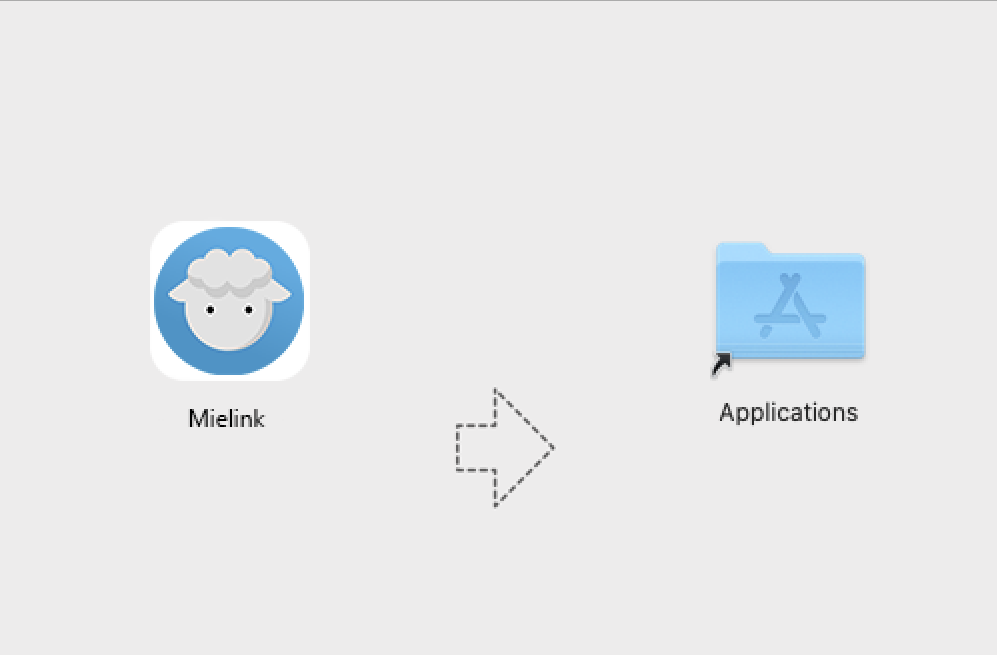
Double-click the file ClashXpro.dmg to start the installer and drag the application icon to the Applications folder to begin the installation.一些其他软件可能修改 .dmg 文件的默认打开方式,将 .dmg 文件作为压缩文件打开。
在访达右击 ClashXpro.dmg → 打开方式 → DiskImageMounter 即可。
activate (a plan)
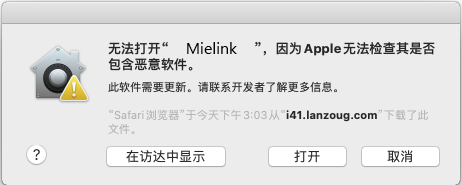
The first time you run the Client from Unknown Sources, the following security prompts will appear. Click [ OK ] to close the window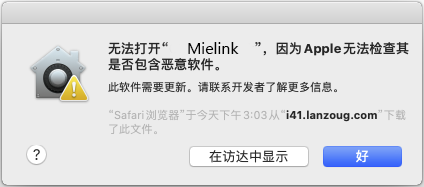
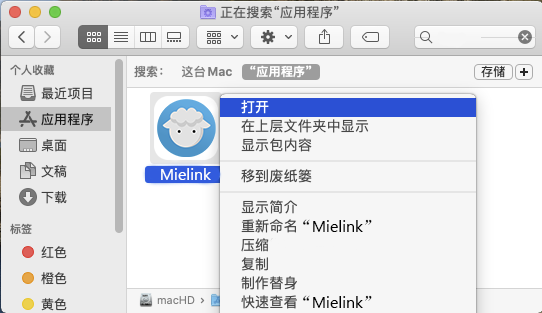
Open the [Access] → [Applications] page.
Press and hold the keyboard [Control] button, click the client icon and select [Open].
Select [Open] in the pop-up window to authorize the application running privileges.一次授权后应用可正常运行使用,无需再次授权。
act on behalf of sb. in a responsible position
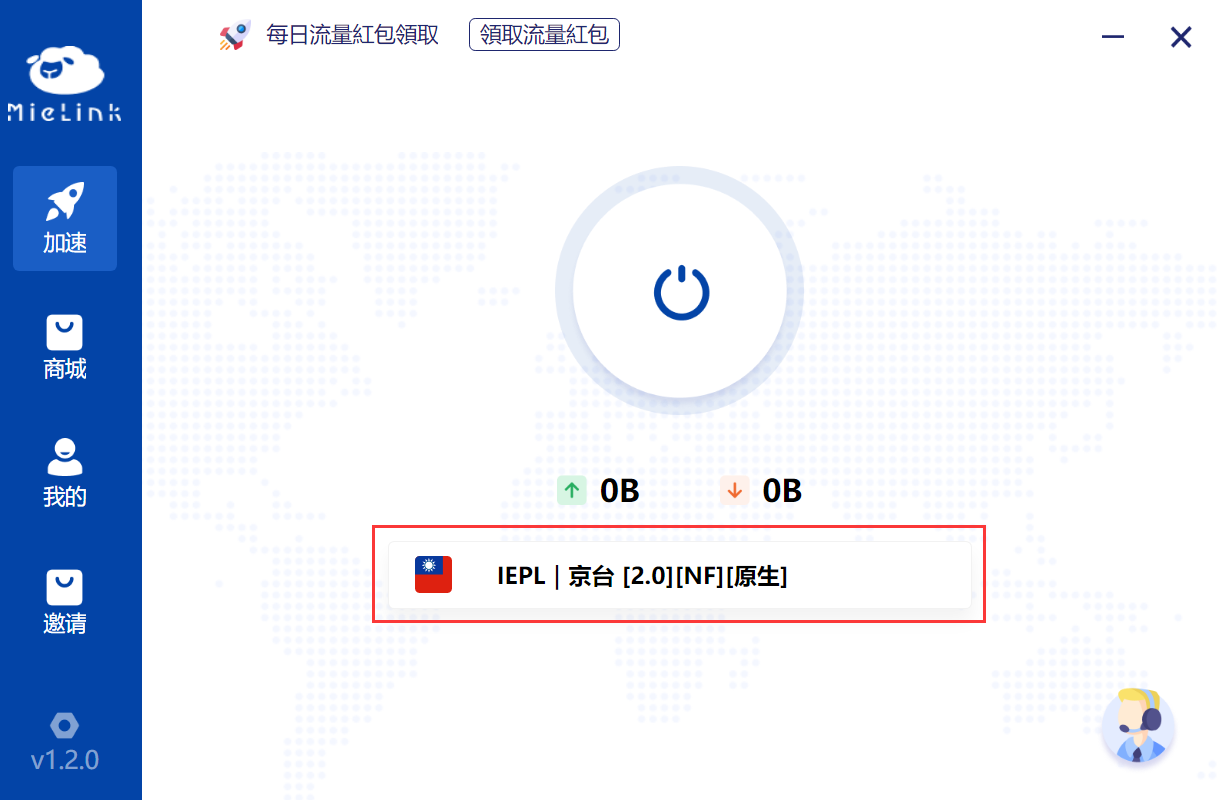
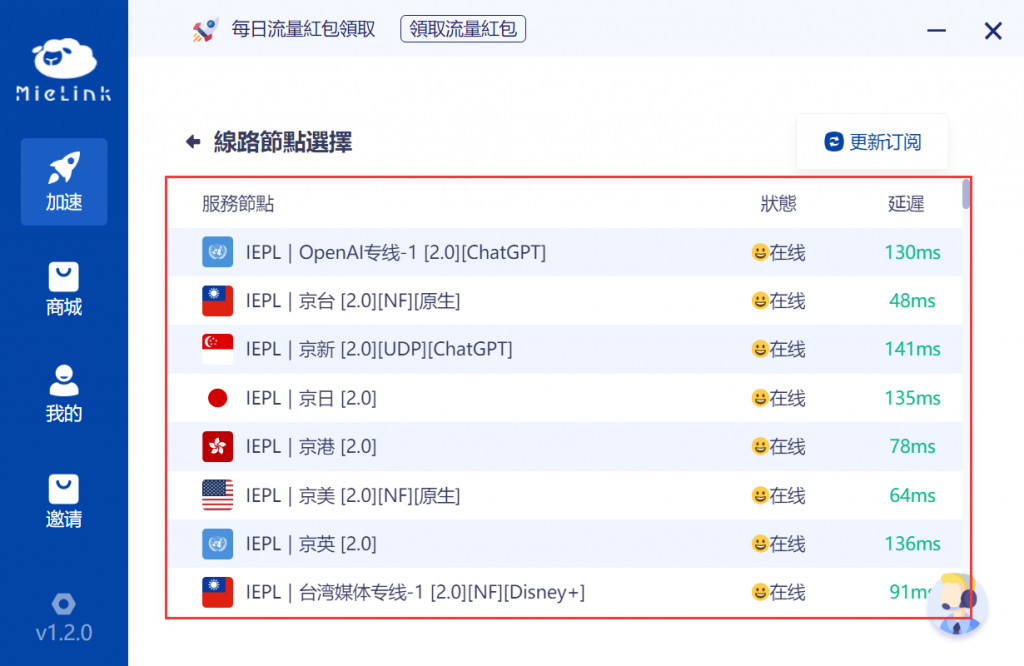
After logging into the client, click here to access the node list to select a node.
Tap the node you want to connect to use, and the client will automatically connect to the selected line.
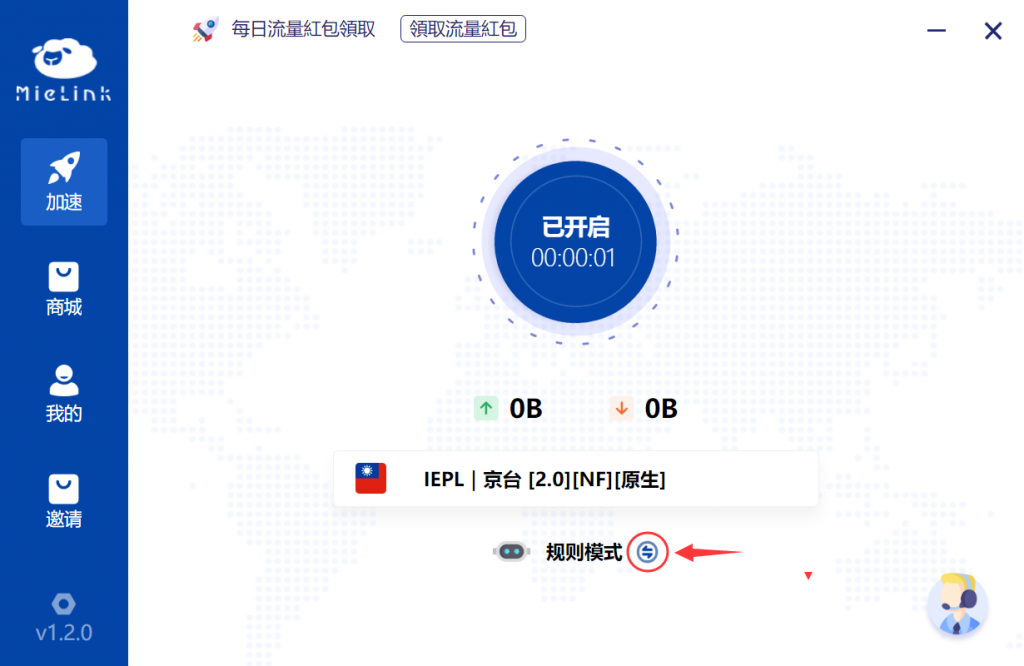
After the client initiates the connection, you can switch the proxy mode by clicking the icon to the right of the mode.
Terminal Agent
Click the icon at the bottom left of the client to switch to the settings page.
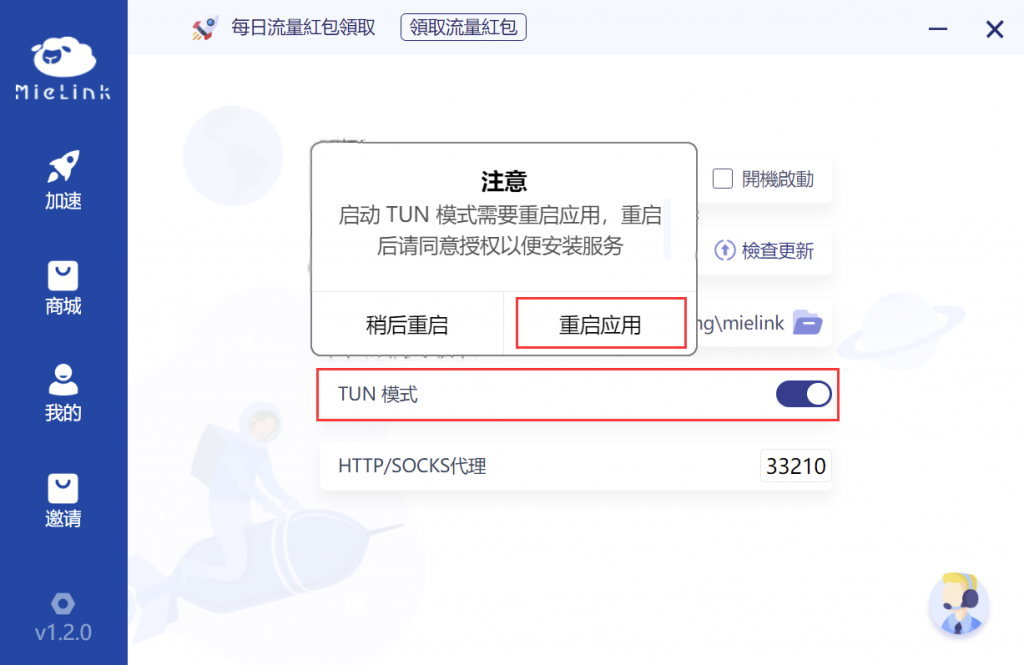
After clicking the [ TUN MODE ] switch to turn on the TUN mode, click Restart Application in the pop-up window to enable it.
※ 若点击 [ 稍后重启 ] ,则需把 TUN 模式 关闭,否则下次启动客户端可能无法正常使用。
 ※ 首次启动 TUN 模式 将会要求安装驱动和批处理权限,默认下一步安装和允许即可。