
1. Get the Shadowrocket client through the AppStore and download it.
preliminary
- 1 iphone / ipad
- Mielink member account (either paid or trial membership)
- Shadowrocket installed, software acquisition: foreign region (non-mainland) apple id paid purchase
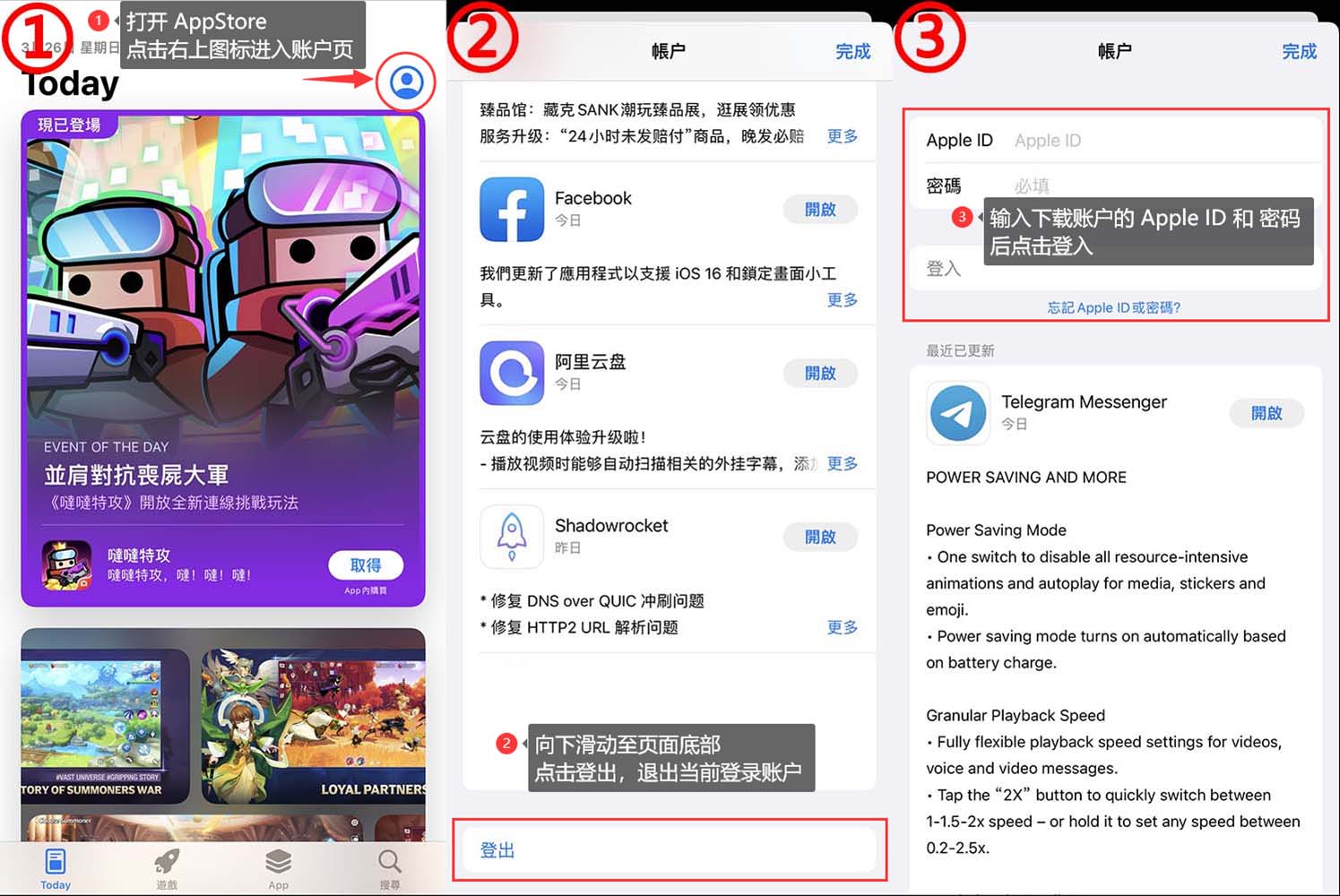
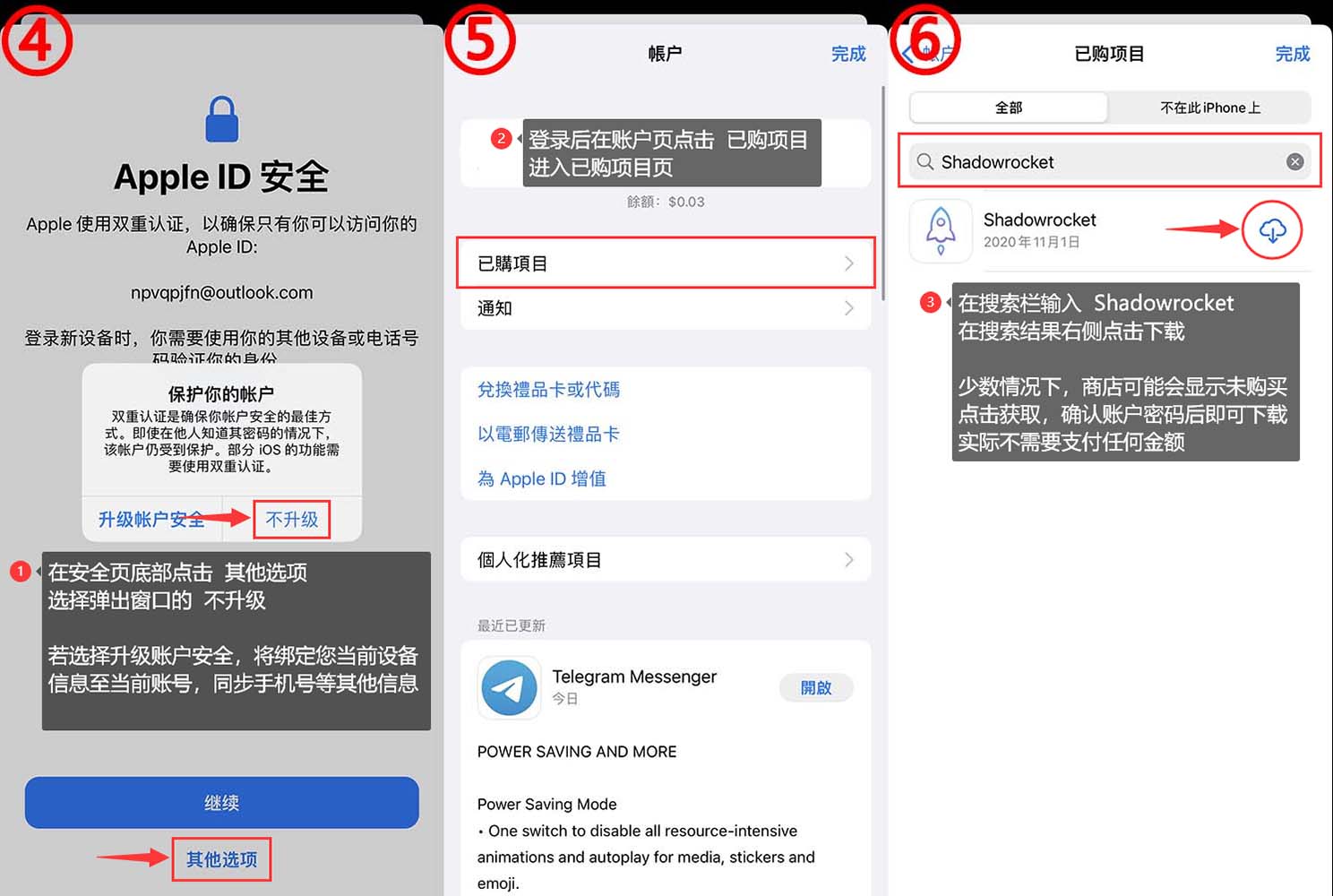
2. Start configuring Shadowrocket
Use your system browser, Safari, to access the Subscription Centeron the MieLink website.
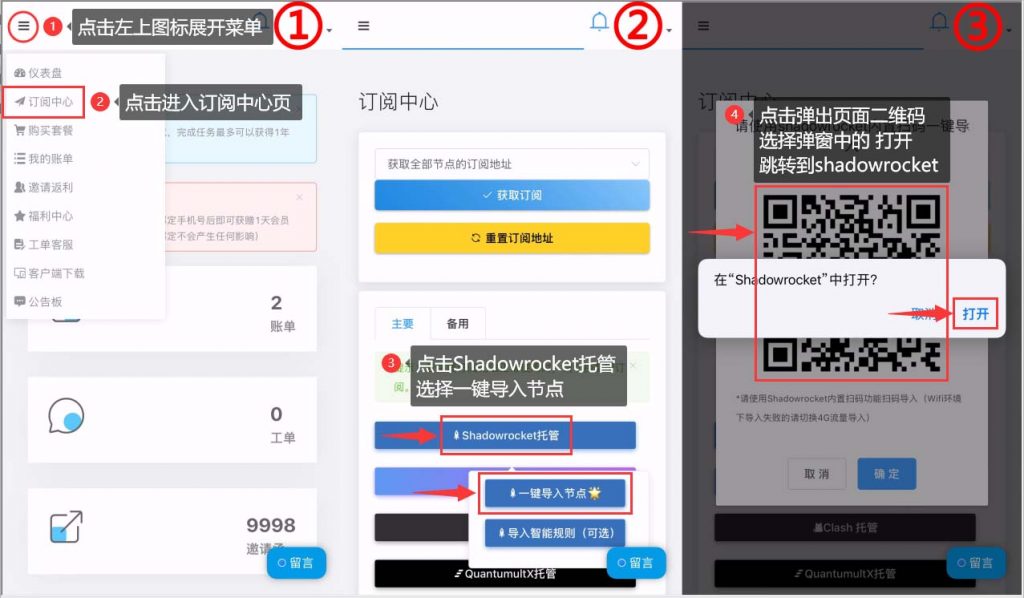
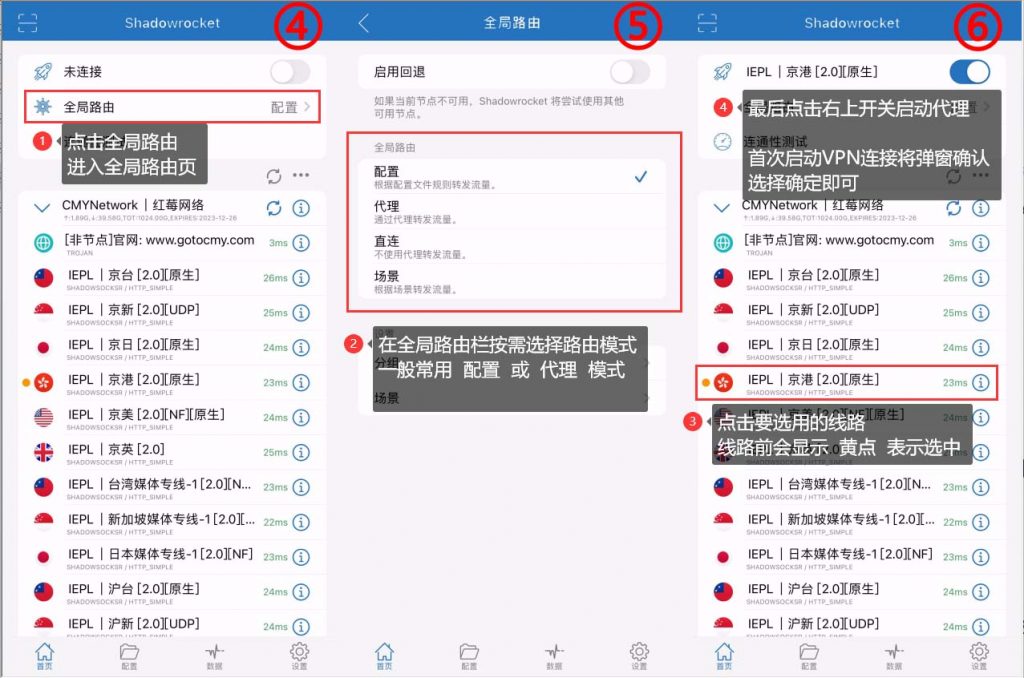
One more thing you need to be aware of before enabling it:
Select a node you want to use, Global Routing set to Configuration or Proxy, and click the switch at the top next to Unconnected.

If this is your first time using it, you will be prompted with a pop-up message that the software needs to authorize VPN privileges.

Be sure to click Allow and follow the prompts to verify your password or Touch ID, then you will be automatically returned to the Shadowrocket interface and enabled.
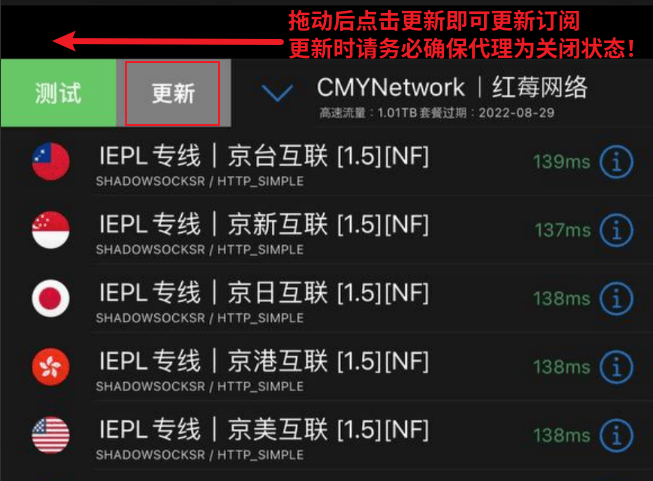
3. Update subscription
If your subscription is too old and you need to synchronize with the latest nodes, or if you are updating your status after purchasing a subscription, you can use this method to update to the latest subscription.
Q&A Frequently Asked Questions
为什么我导入以后看不见节点?
这有可能是由于阁下的本地网络连接不上我们的订阅服务器导致的,阁下可以尝试切换4G/WiFi后重新订阅一次,以及将shadowrocket客户端彻底从后台关闭后,重新开启一次。
连接后,有时候会自己关闭Wi-Fi并使用4g网络。
这个情况一般都iOS的网络模块问题,只需要手动重启一下手机即可解决,也可以到设置里关闭Wi-Fi和4g后全部依次从新打开(必须到设置内而不是快速栏内)。