short code
1. Download the SwitchyOmega plugin
SwitchOmega is a plugin that can intelligently mount Socks5/http proxies, this plugin Chrome kernel browsers can be used (Edge/Chrome, etc.)
First you need to install the chrome kernel browser, then click to download the SwitchyOmega installerand unzip it to any disk.
Of course, this plugin can be downloaded directly from the plugin market of all major browsers, or you can go directly to your browser’s plugin market and search for SwitchyOmega to download it (if it is available), or download it from the official website of Switchyomega.
2 .Install SwitchyOmega
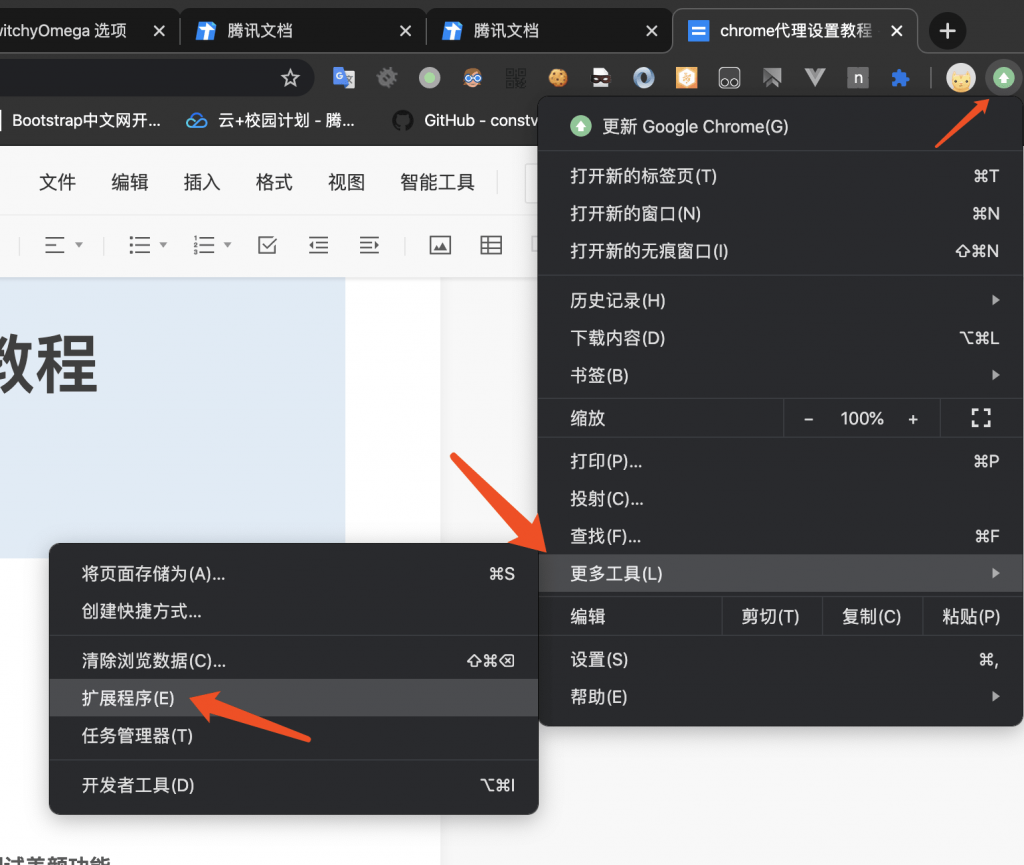
Open your browser and go to More Tools – Extensions
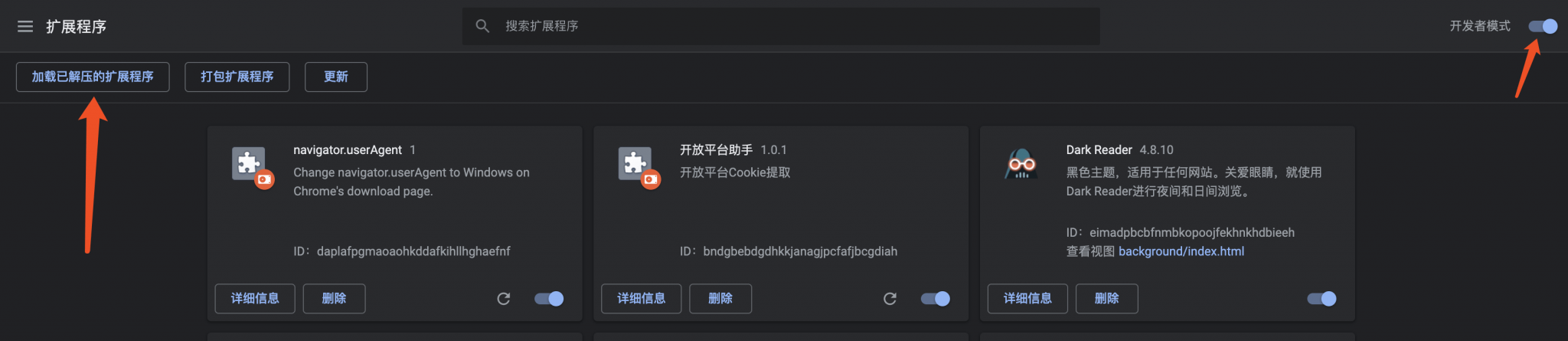
Check the Developer Mode first, then select Load Unzipped Extensions and select the folder you just unzipped to your desktop.

3. Configure the SwitchyOmega plug-in
After installation, go to the SwitchyOmega plugin’s settings, check proxy, and then configure the parameters as follows
Proxy protocol: socks5
Proxy Server: 127.0.0.1
Proxy port: 4781 or 7891
(4781 for Mielink, 7891 for Clash), please choose according to your client!
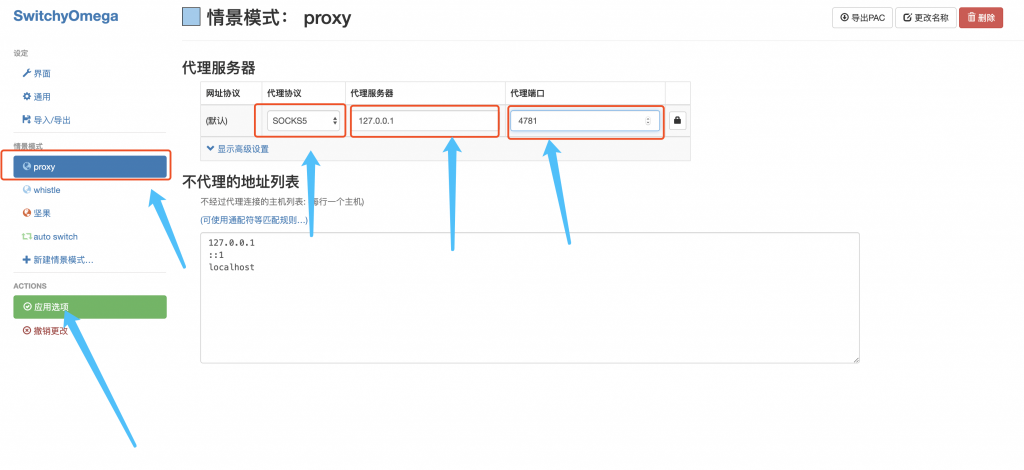
Finally click on, the Apply Options and you’re done.
4. Enable Proxy
First, make sure that the Clash or Mielink client is properly linked to an available node!
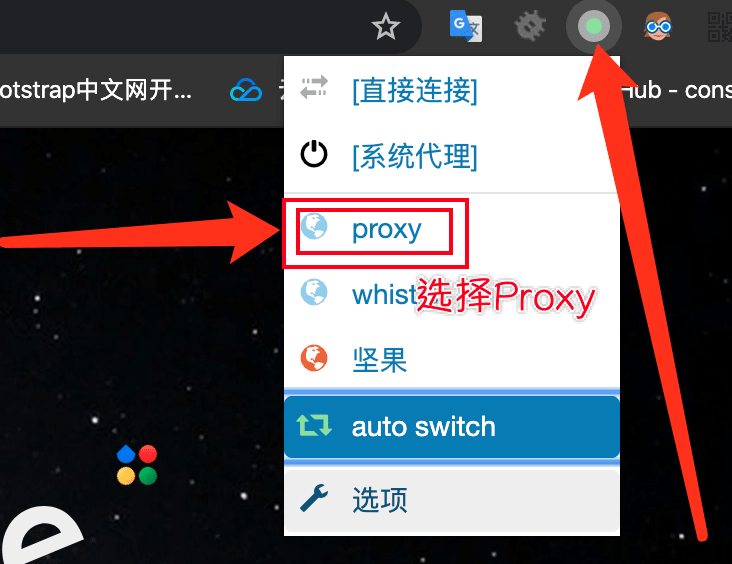
Then click on the SwitchyOmega button in the top right corner of your browser, check proxy, and at this point you should be able to go to a learning site like Google.